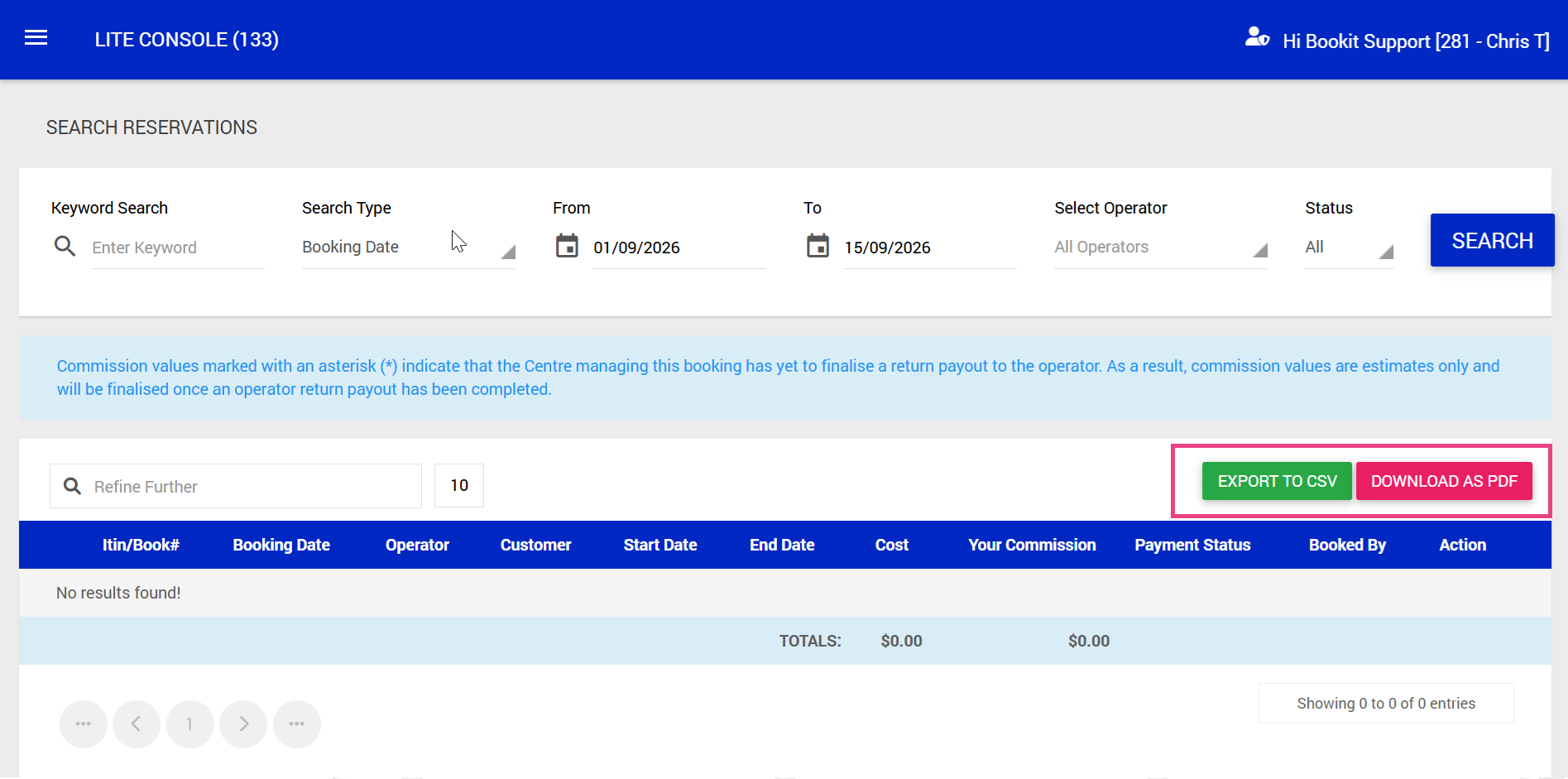
This article explains how to log into the Bookit Affiliate Console and locate booking information. The Affiliate Console allows you to search for bookings and view the details associated with a guest's reservation. including commissions and payments.
Important: The Bookit Affiliate Console is separate from your Bookit Lite Console and requires its own login link, username and password. Your Bookit Lite login details cannot be used to access the Affiliate Console.
Logging into the Affiliate Console
1. Navigate to the Bookit Affiliate Console login page
Login Link: https://operators.bookit.co.nz/login.aspx
2. Enter your username and password.
3. Select Login.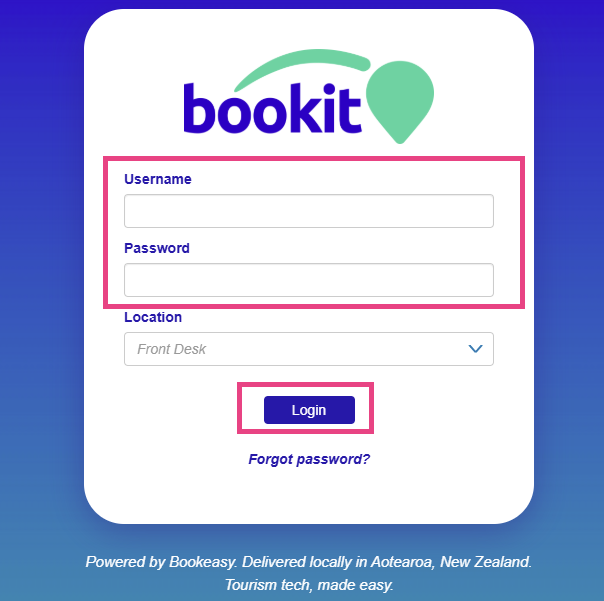
Accessing Search Reservations
Once logged into the Affiliate Console:
1. Select the three-line menu in the top left-hand corner.
2. Select Search Reservations.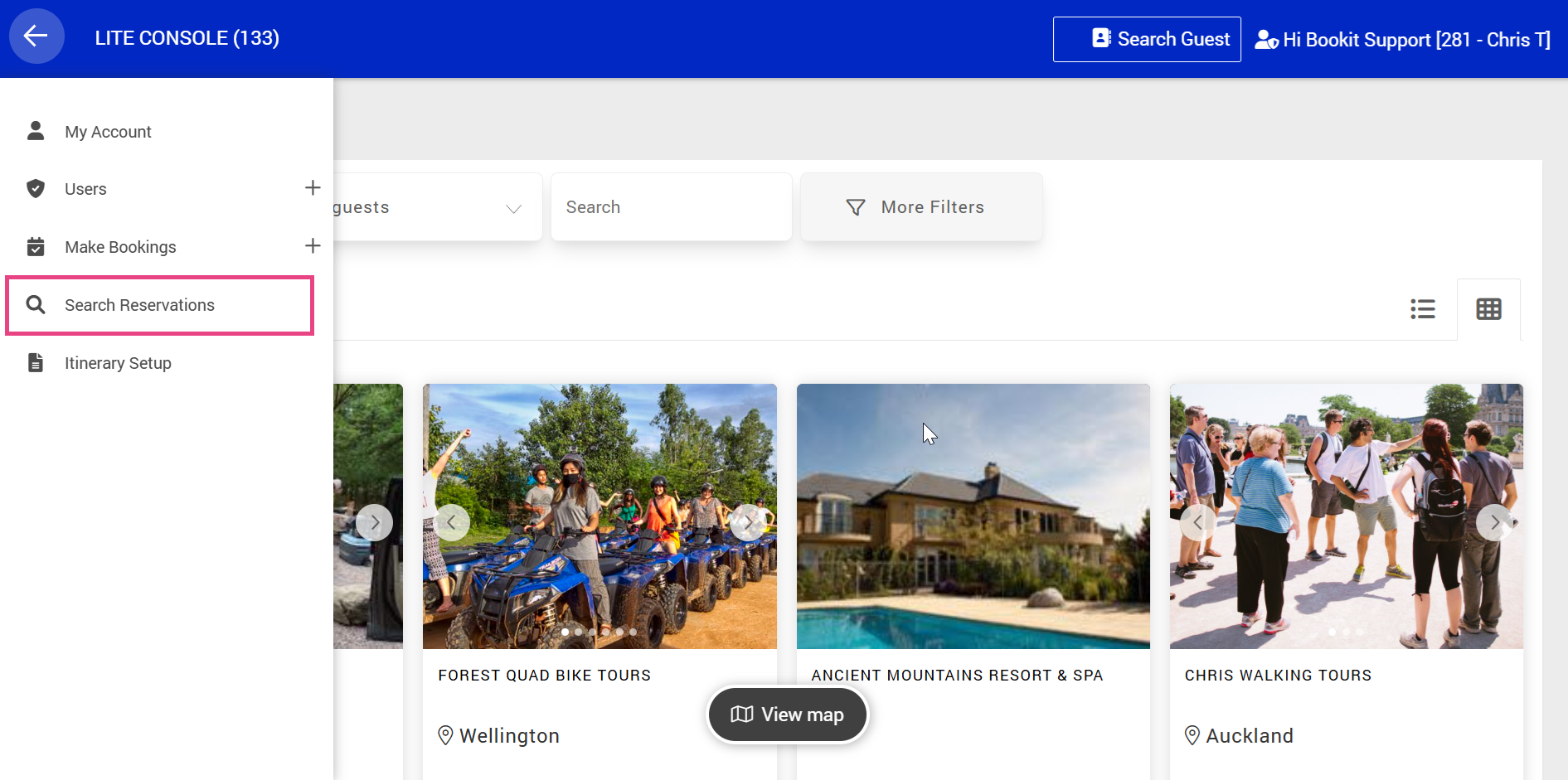
Searching for Reservations
The Search Reservations page allows you to apply filters to narrow down the bookings displayed.
Available filters include:
- Keyword
- Booking Date
- Arrival Date
- Departure Date
- Stay Date
- Operator
- Booking Status
Once your filters have been applied, select Search to display the matching reservations.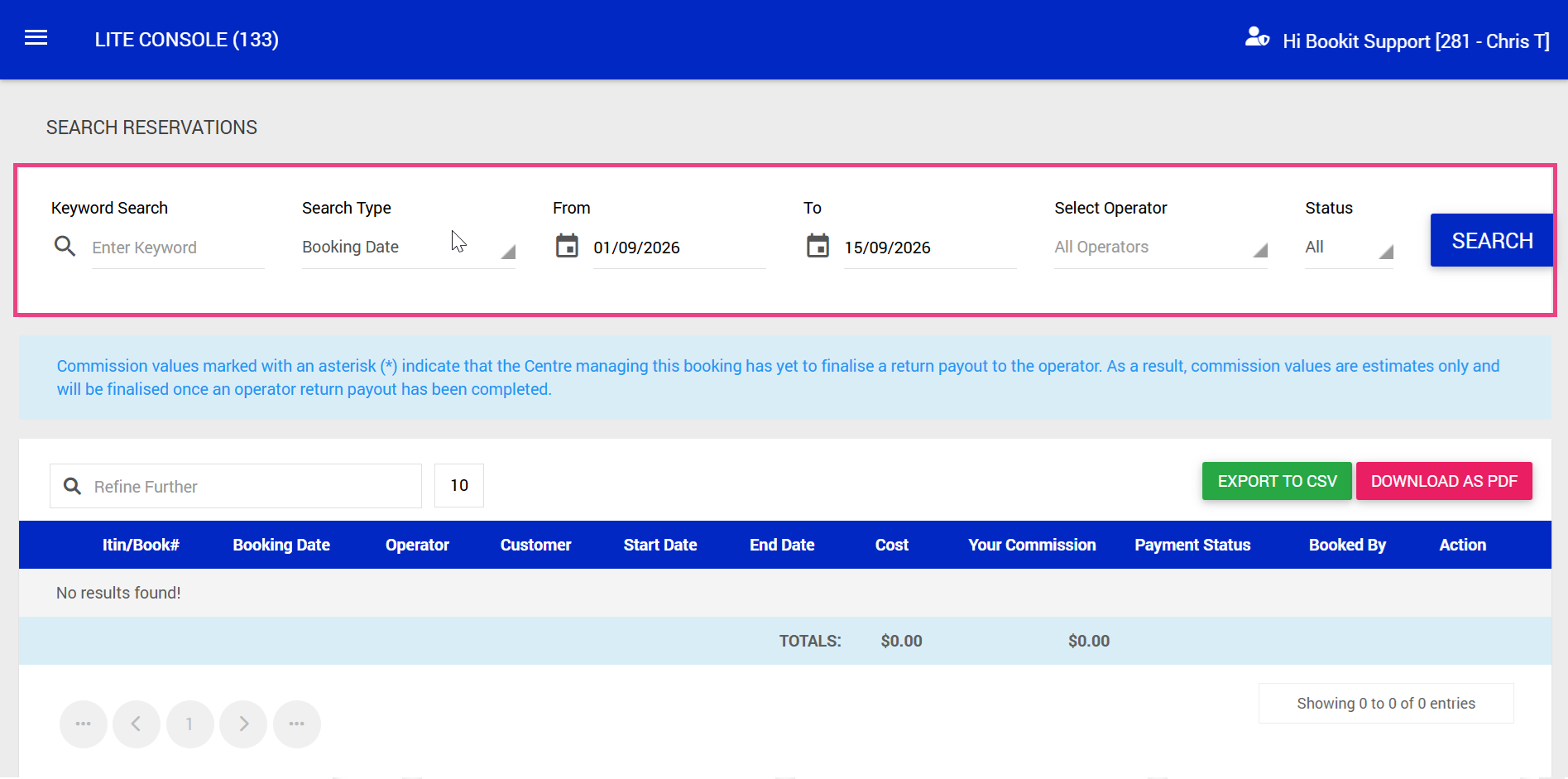
Understanding the Search Results
The search results provide an overview of the bookings matching your selected criteria.
Available columns include:
- Itinerary / Booking Number: The reference numbers associated with the reservation.
- Booking Date: The date the booking was created.
- Operator: The operator associated with the booking.
- Customer: The customer associated with the reservation.
- Start Date: The booking start date.
- End Date: The booking end date.
- Cost: The value of the booking.
- Your Commission: The commission associated with the booking.
- Payment Status
- Booked By
- Action
Exporting Search Results
The reservation search results can be exported for further review or reporting.
Available export options include:
- CSV: Exports the report data into a CSV file, which can be opened in programs such as Excel or Google Sheets.
- PDF: Downloads a PDF version of the report.