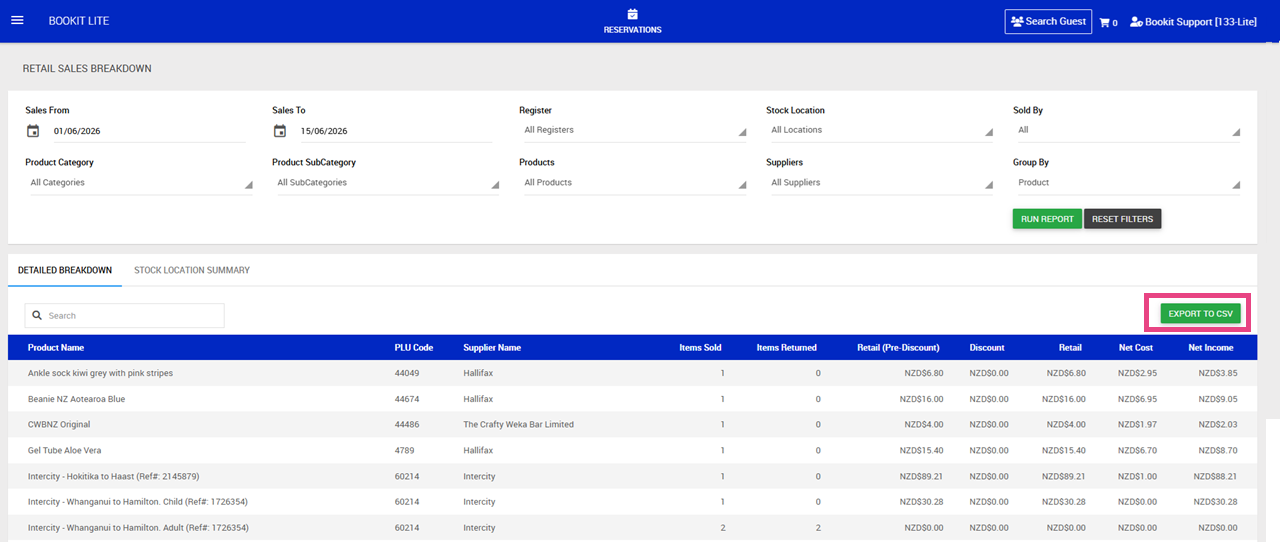
This article explains how to use the Retail Sales Breakdown report within Bookit Lite POS. The Retail Sales Breakdown report provides detailed sales information for retail products sold through POS, including quantities sold, discounts applied, product costs, and income generated.
Accessing the Retail Sales Breakdown Report
1. Open the left-hand navigation menu.
2. Select Retail.
3. Select Retail Sales Breakdown.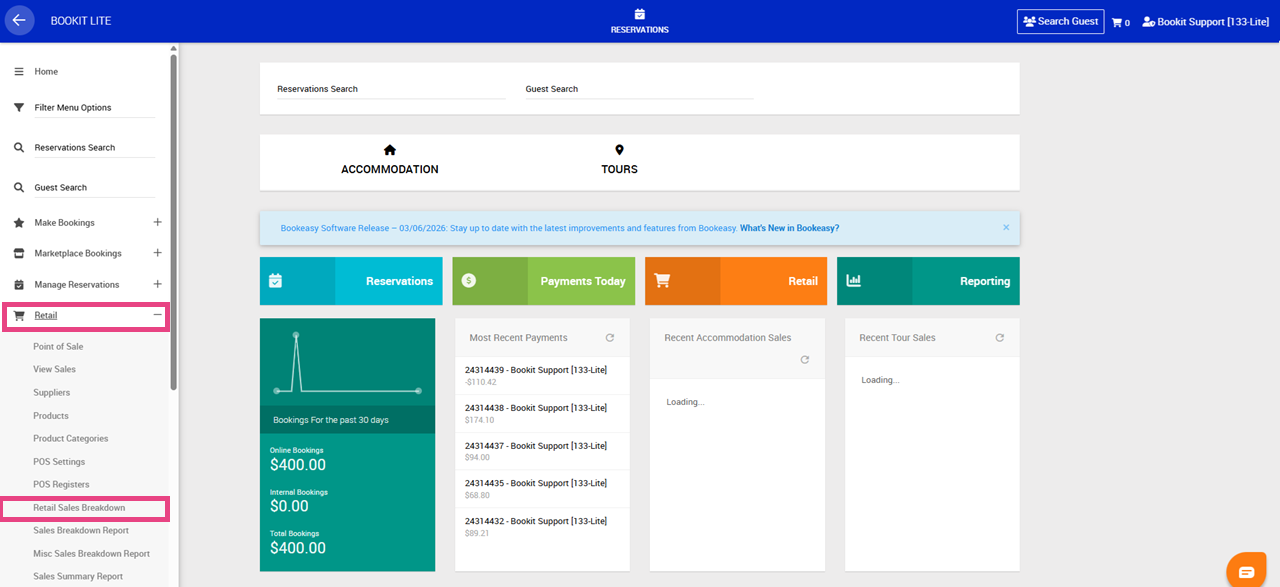
Understanding the Retail Sales Breakdown Report
The Retail Sales Breakdown report provides a detailed view of retail product sales over a selected date range.
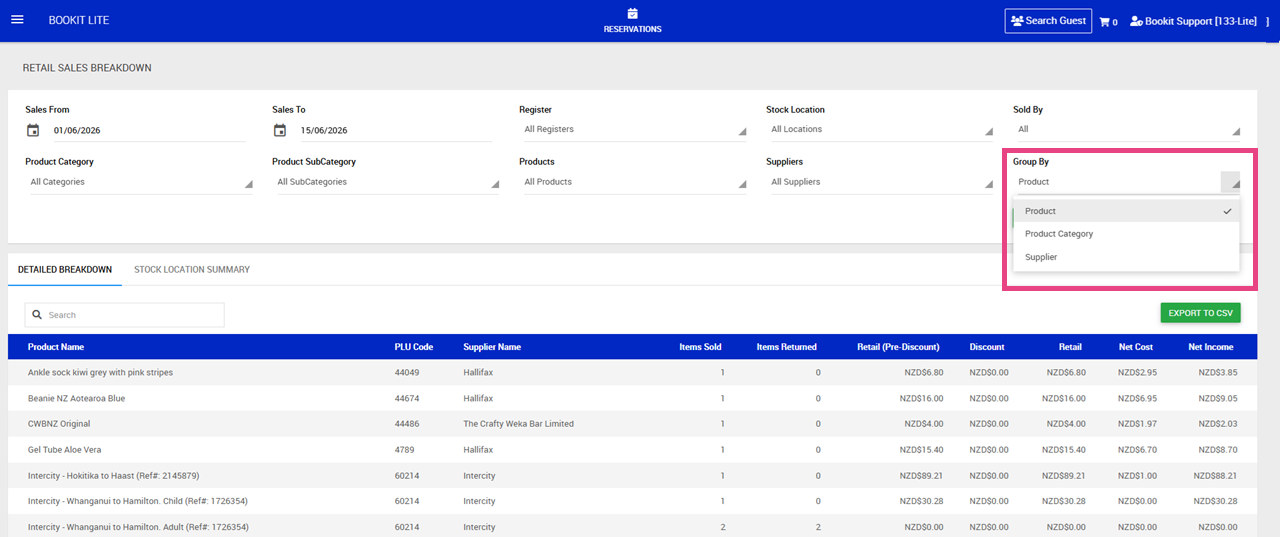
The report can be grouped by:
- Product Category
- Supplier
- Product
Filtering the Report
Filters can be applied to narrow the sales results displayed.
Available filters include:
- Sales From
- Sales To
- Register
- Stock Location
- Sold By
- Product Category
- Product Sub Category
- Products
- Suppliers
Once filters have been selected, select Run Report to update the report results.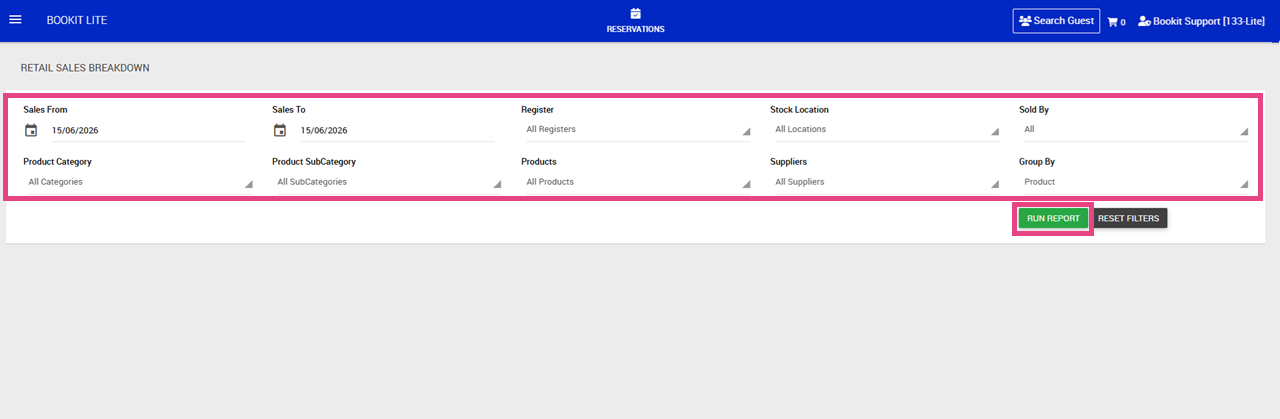
Understanding the Report Columns
Available columns include:
- Items Sold: Number of units sold
- Items Returned: Number of units returned or refunded
- Retail (Pre-Discount): Retail value before discounts were applied
- Discount: Total discount value applied
- Retail: Final retail value after discounts
- Net Cost: Total cost of the products sold
- Net Income: Profit generated from the sale of the products
Subtotals are displayed for each group, with an overall total displayed at the bottom of the report.
Exporting the Report
The Retail Sales Breakdown report can be exported for further analysis or reporting.
Available export options include:
1. Export to CSV – opens the report data in Excel or Google Sheets.