This article explains how to create a miscellaneous booking within Bookit Lite. Miscellaneous bookings are commonly used for third-party products or services that are not available through the BookNZ Marketplace, such as InterCity or Bluebridge bookings.
Important Note: Miscellaneous bookings do not calculate commission. They are used to process payments and retain a transaction record within the system only.
Creating a Miscellaneous Booking
1. From the Home Page, select Retail.
2. Select your register.
3. Select the Miscellaneous tab.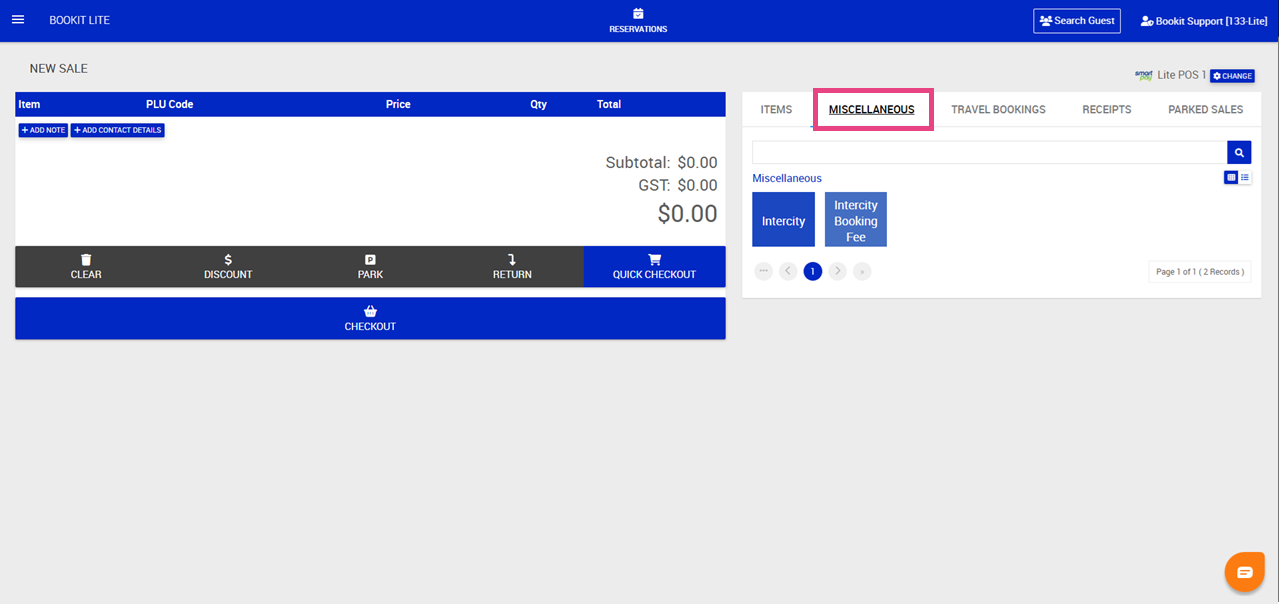
Entering Booking and Pricing Details
1. Select the Miscellaneous from the POS screen
2. Enter the booking details into the Item description field.
3. Enter the Reference number from the third-party booking system.
4. Adjust the Price and Quantity as required.
Note: Pricing should be entered inclusive of GST.
5. The total value will automatically calculate.
6. Select Save.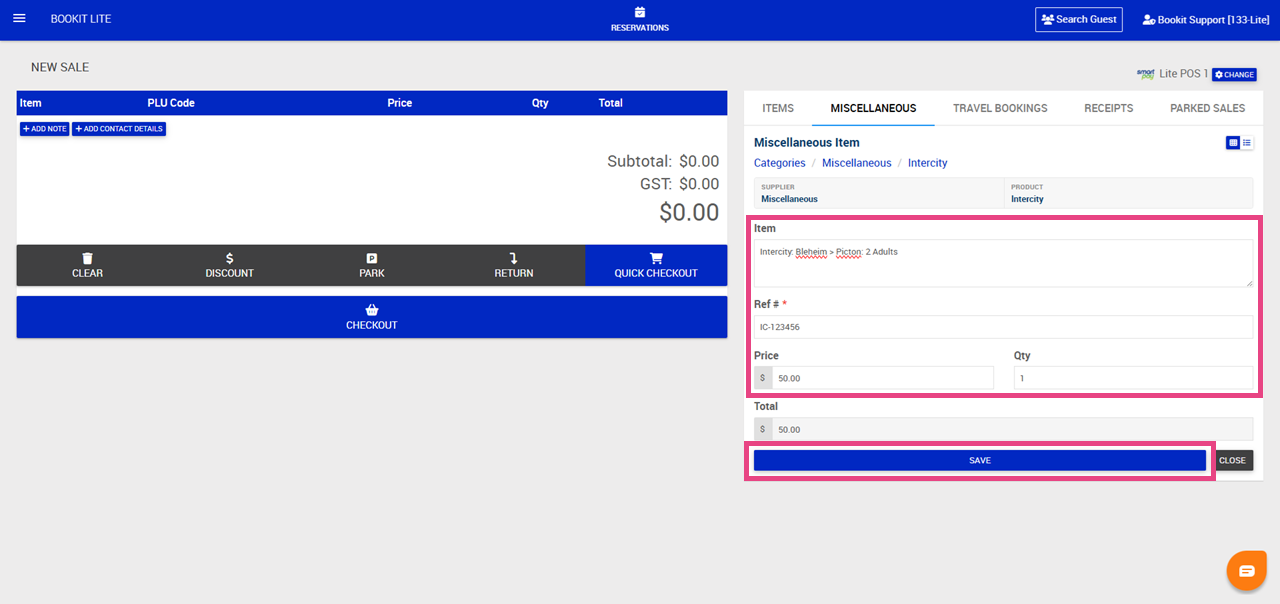
7. The booking will now be added as a retail sale within POS.
8. Add any additional sale items required for the sale
9. Click Add Contact Details to add information of the guest
10. Complete the following:
- First Name
- Surname
- Email
- Phone Number
- Check, Send Guest Email if desired
11. Click Save Contact Details 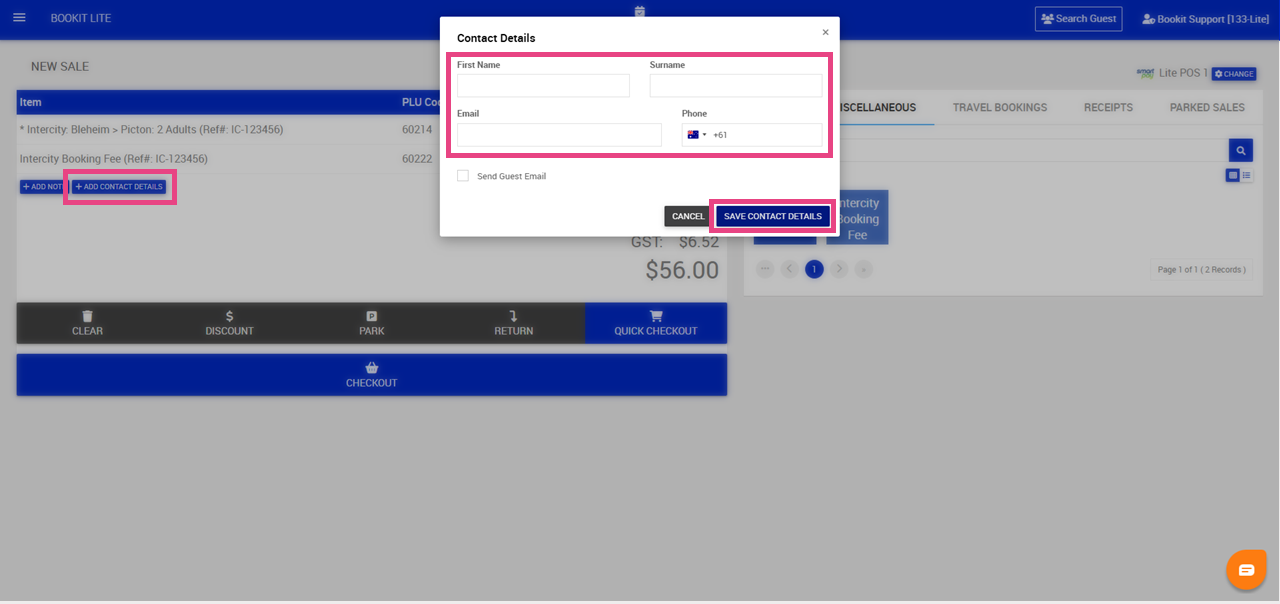
12. Add additional retail or Miscellaneous bookings and when ready to complete the transaction, click Checkout
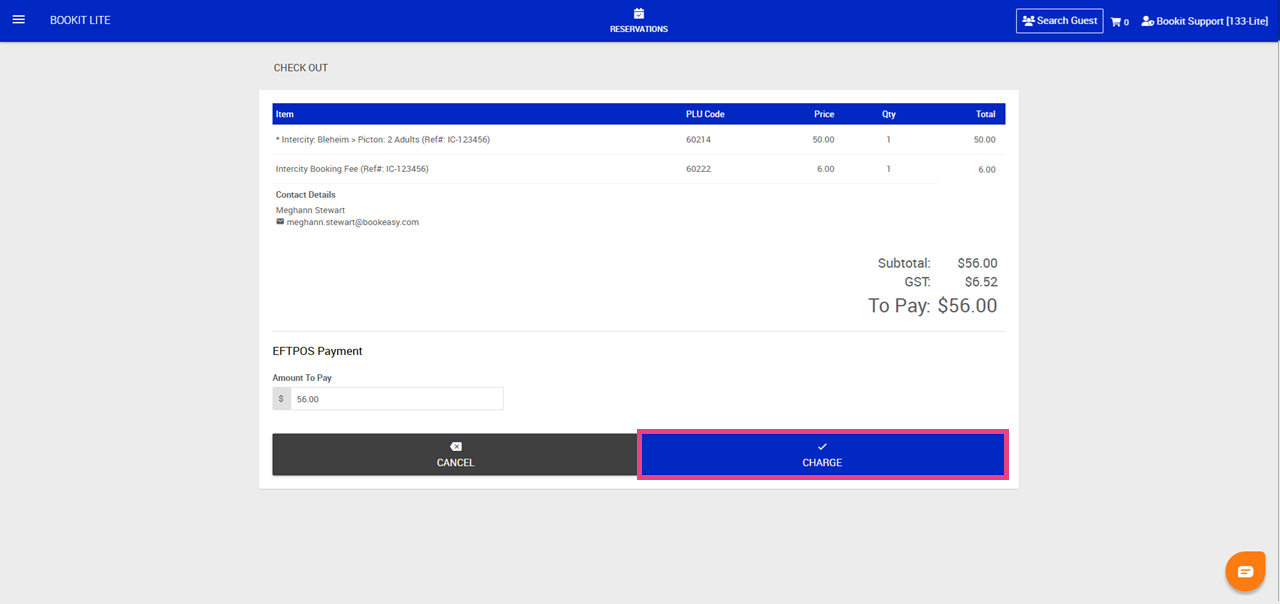
13. Select method of payment, Eftpos or Cash > Confirm Amount to be paid/ tendered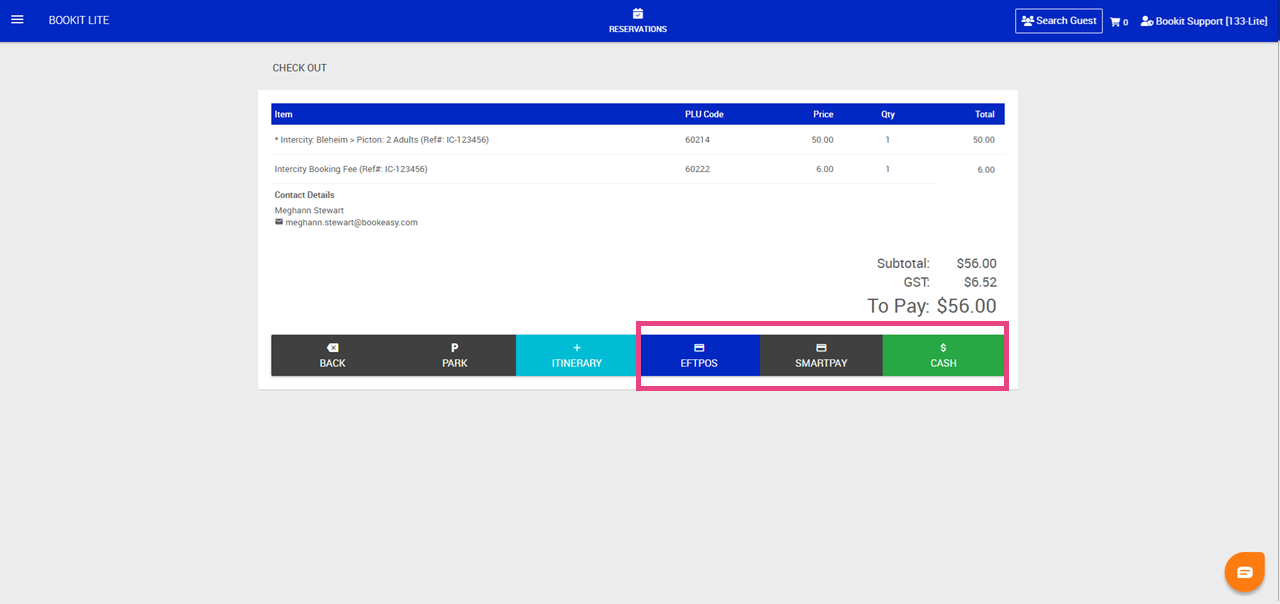
14. Click Charge
15. A receipt will pop up on the screen, click Print should the customer require a copy of the receipt or Close.