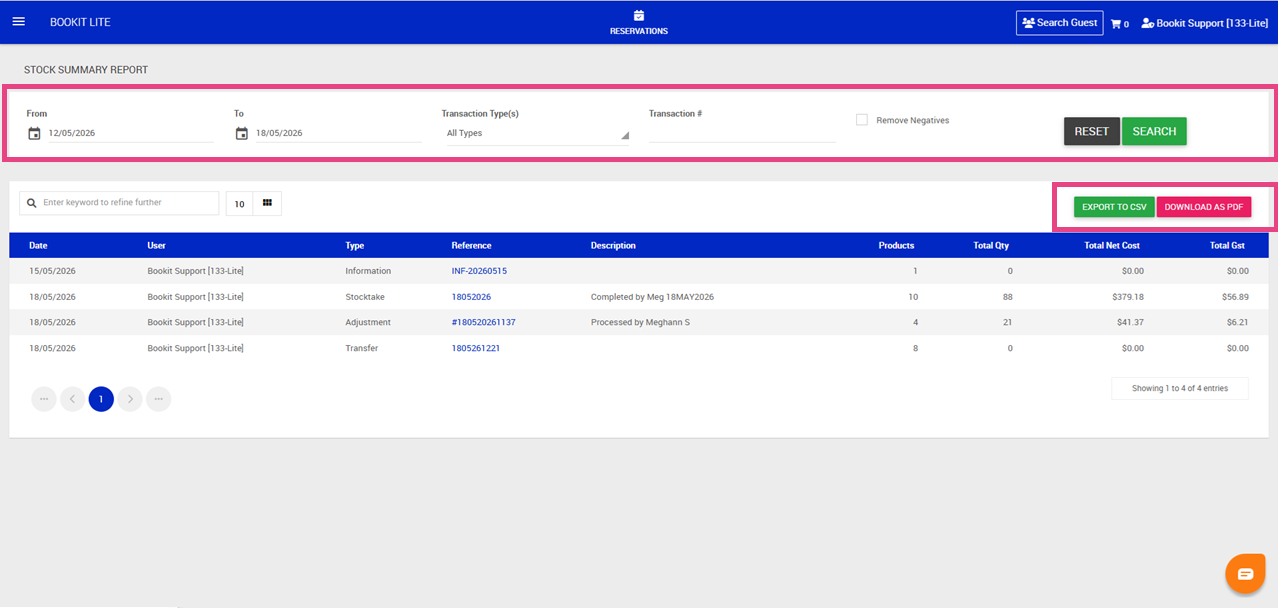
This article explains how to use the Stock Summary report within Bookit Lite POS. The Stock Summary report provides a consolidated view of all stock movements across your isite, including sales, adjustments, stocktakes, and transfers.
Accessing the Stock Summary Report
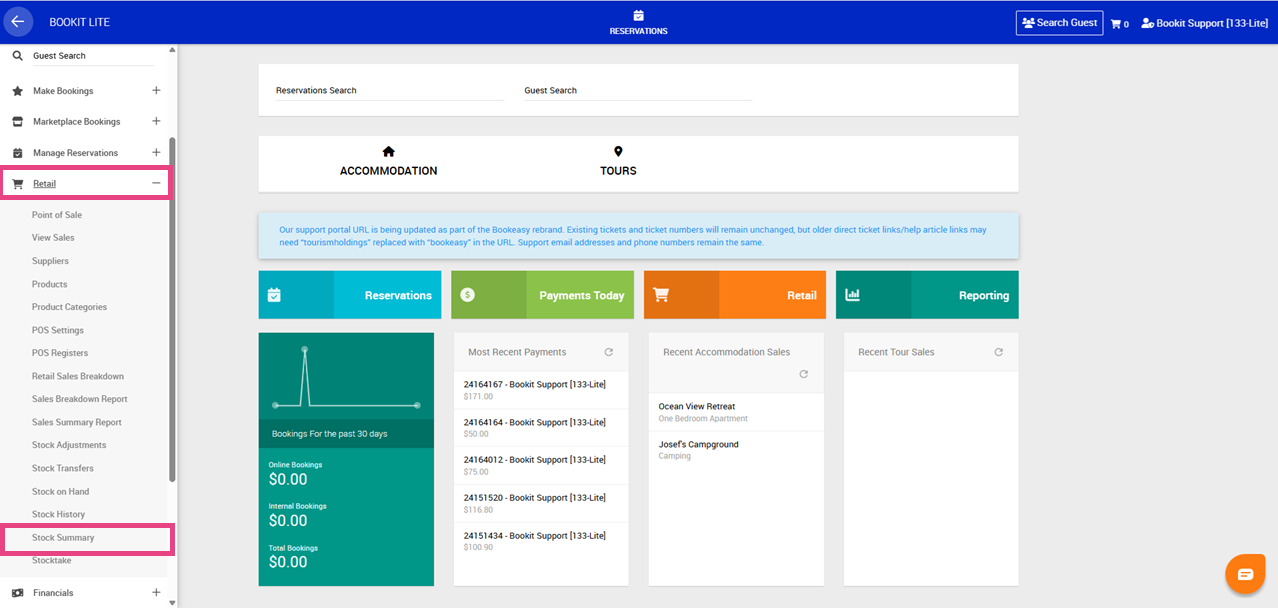
1. Open the left-hand navigation menu.
2. Select Retail.
3. Select Stock Summary.
By default, the report displays stock activity from the last 7 days.
Understanding Stock Transactions
The Stock Summary report displays all stock transactions recorded within Bookit Lite.
Available transaction types include:
- Info – general notes recorded against stock with no quantity change
- Adjustment – manual stock increases or decreases
- Stock Take – stock count updates recorded during stocktakes
- Transfer – stock moved between stock locations
- POS Sale – products sold through POS
- POS Void Sale – cancelled or reversed sales
Filtering the Report
Filters can be applied to narrow the stock results displayed.
1. Apply desired filters. Available filters include:
- From Date
- To Date
- Transaction Types
- Transaction Number
- Remove Negatives: When enabled, transactions where stock quantities decreased will be hidden from the report.
2. Once filters have been selected, select Search.
3. To clear filters, select Reset.
Understanding the Report Columns
Each row within the report represents a stock transaction.
Available columns include:
- Date – when the transaction occurred
- User – staff member who processed the transaction
- Type – transaction type
- Reference – clickable link to the full transaction details
- Description – notes recorded against the transaction
- Products – number of product lines included
- Total Qty – total quantity of items moved
- Total Net Cost – total stock cost excluding GST
- Total GST – GST portion of the transaction
Exporting the Report
The Stock Summary report can be exported for reporting or auditing purposes.
Available export options include:
1. Select, Export to CSV to open in Excel or Google Sheets
2. Download as PDF, to generate a printable PDF version