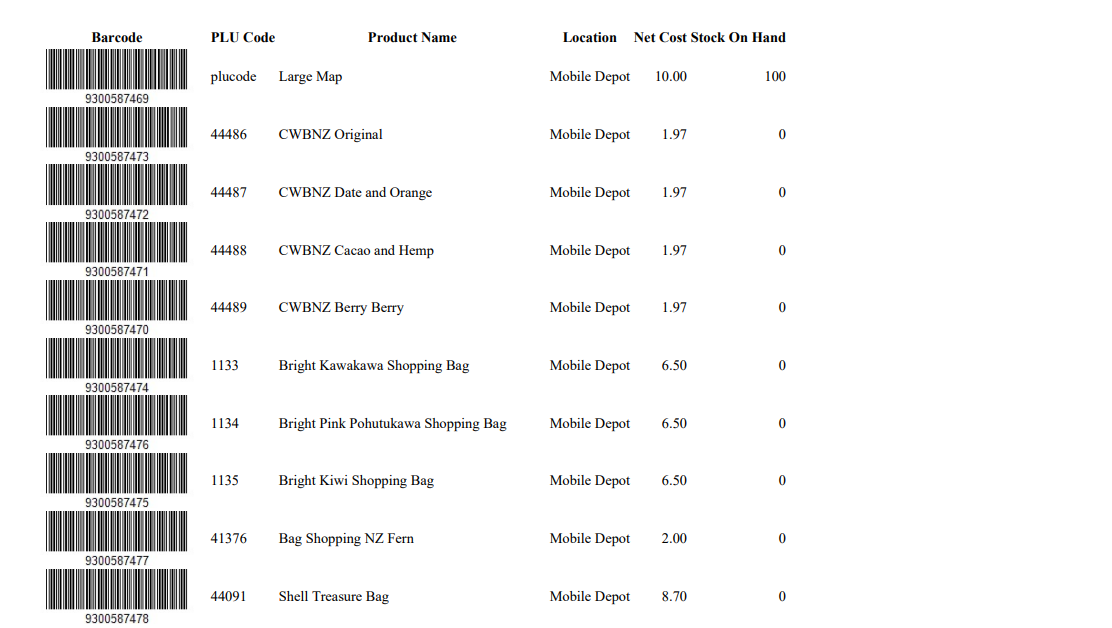
This article explains how to generate and print product barcodes within Bookit Lite POS. Barcodes can be downloaded as a PDF sheet for printing using standard or third-party barcode printers.
Generating Barcode Sheets
1. Open the left-hand navigation menu.
2. Select Retail.
3. Select Stocktake.
4. Select Advanced Search.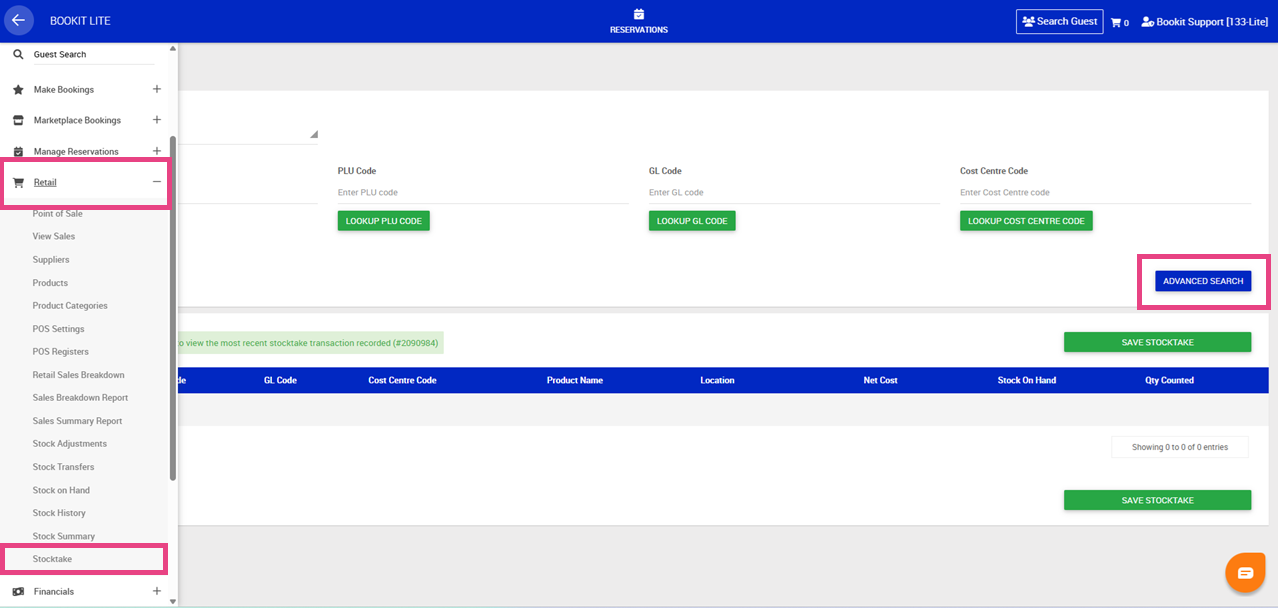
5. Enter the required search parameters to locate products.
6. Select Search.
7. Select the required product(s).
8. Select Download as PDF.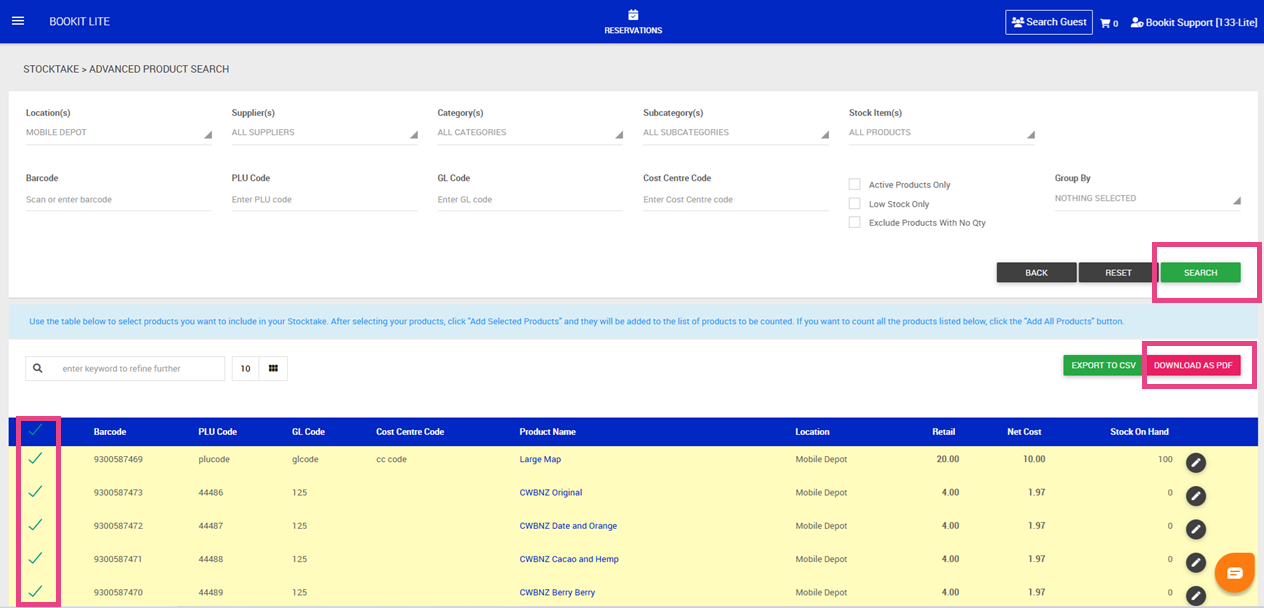
The barcode sheet will generate as a PDF file ready for printing.