This article explains how to locate and reprint receipts within Bookit Lite POS. Staff can access receipts from any booking location or register.
Reprinting a Receipt
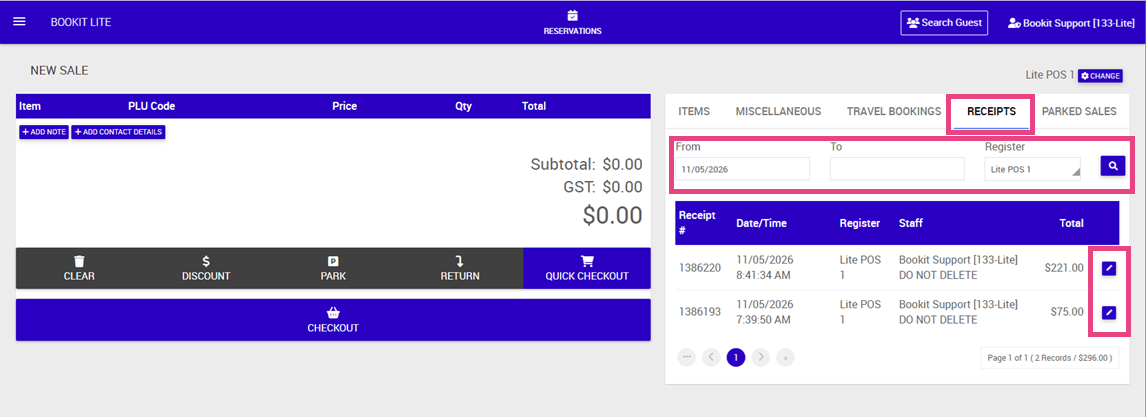
1. From the POS screen, select the Receipts tab.
2. Enter the required search filters:
- From date
- To date
- Register
3. Select the search icon.
4. A list of matching transactions will display, including the transaction total.
5. Select the pencil icon beside the required transaction.
6. The receipt preview will open.
7. Select Print to reprint the receipt.
Important Note:
- Staff can access all receipts and sales irrespective of booking location or register name.
- Receipts cannot be edited once finalised.
- Existing sales can still be managed for actions such as refunds, correspondence, and guest detail updates.