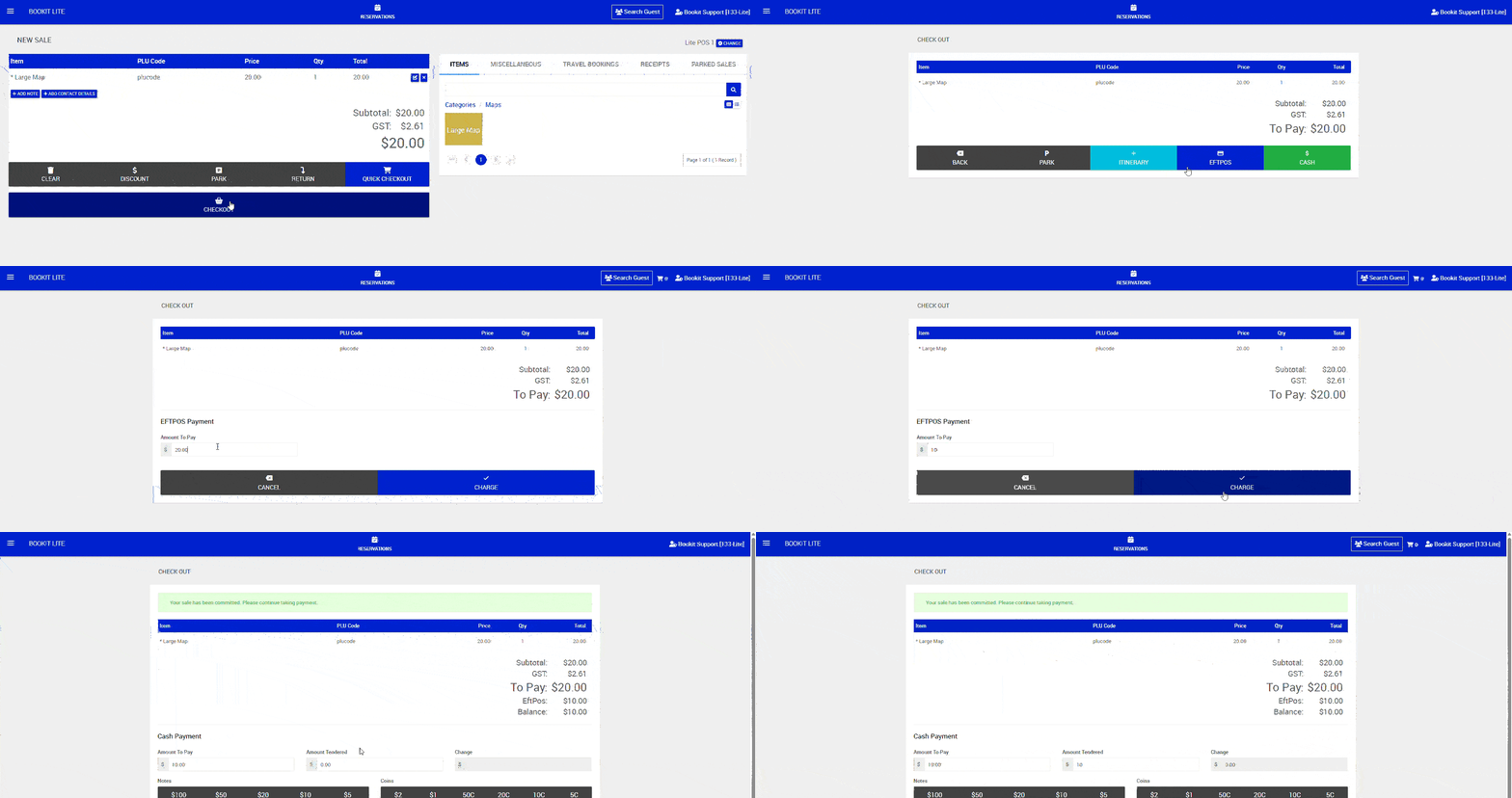
This article explains how to process split payments within Bookit Lite POS. Multiple payment methods can be used within the same transaction, including cash, EFTPOS and SmartPay integrated payments.
Processing a Split Payment
Split payments allow customers to pay for a transaction using more than one payment method.
To process a split payment
1. Add the required products to the sale as normal.
2. Select Checkout.
3. Select the first payment method.
4. Enter the payment amount to be processed against that payment type > Click Charge
5. Complete the first payment.
6. Select an additional payment method for the remaining balance.
7. Repeat until the transaction balance has been fully paid.
8. Once finalised and fully paid the receipt will appear on the screen