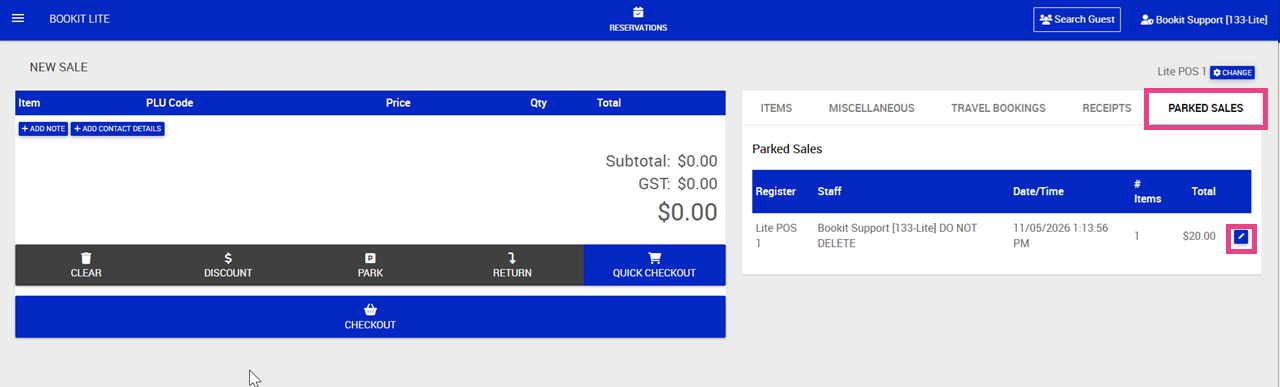
This article explains how to save a sale for later and retrieve parked sales within Bookit Lite POS. Parked sales allow transactions to be temporarily saved and completed at a later time.
Parking a Sale
Sales can be parked when a customer is not ready to complete payment immediately or when the transaction needs to be resumed later.
To park a sale
1. Add the required products to the sale screen.
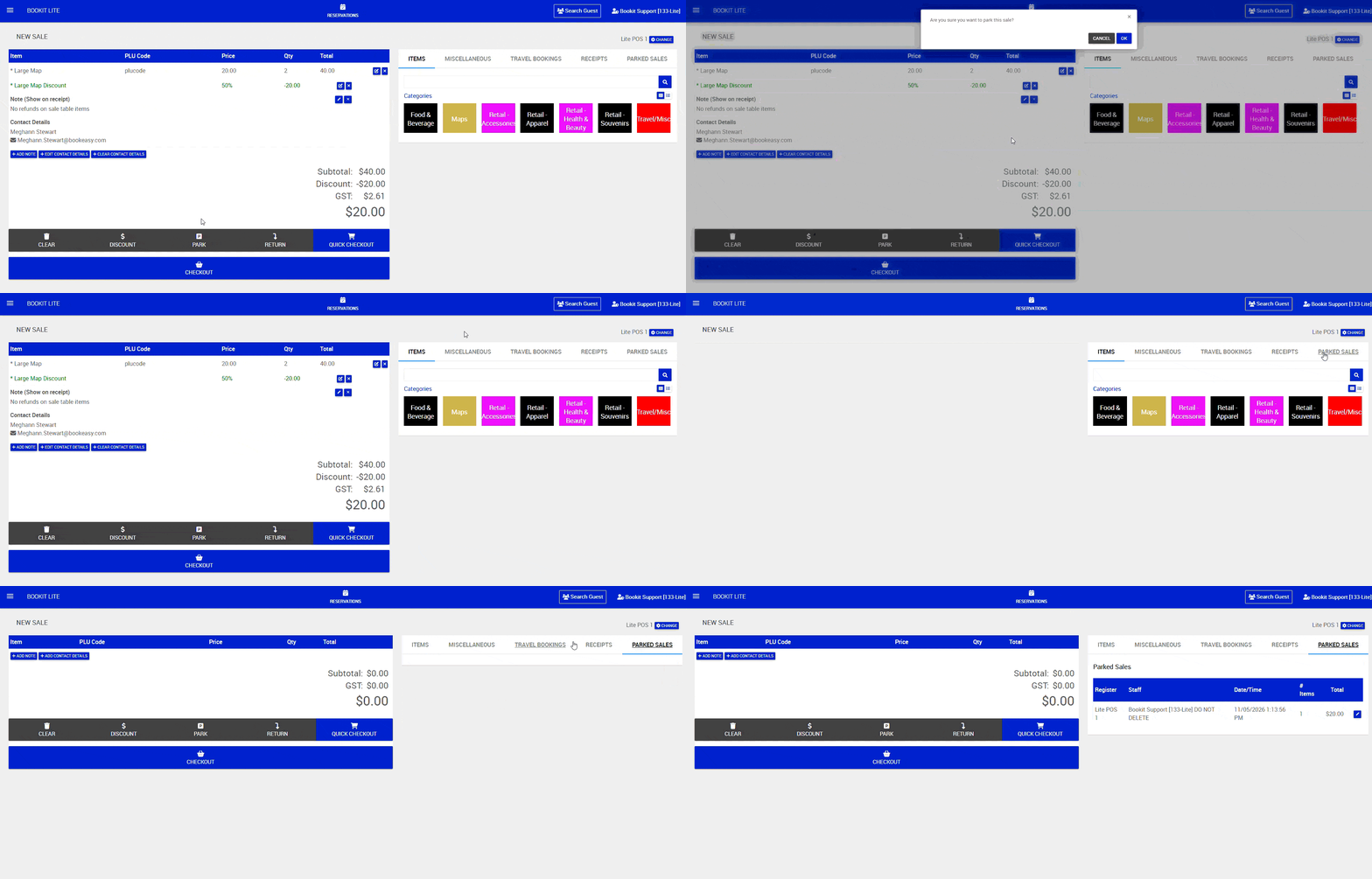
2. On the sale screen, click the Park button.
3. A pop up will appear to confirm you are happy to park the sale > Click Ok
The transaction will be saved and can be reopened later from the parked sales list.
Retrieving a Parked Sale
All parked sales can be accessed directly from the POS screen.
To view parked sales
1. Within POS, click the Parked Sales tab.
2. A list of all current parked sales will display.
3. Click the pencil icon to the right on the sale you wish to reopen
4. A pop will appear to confirm you are happy to retrieve the sale > Click Ok
5. The shopping cart and transaction details will reload into POS for you to complete the transaction as normal.